Study Sphere Manual
Screen overview and feature guide for navigating your central hub for academic excellence.
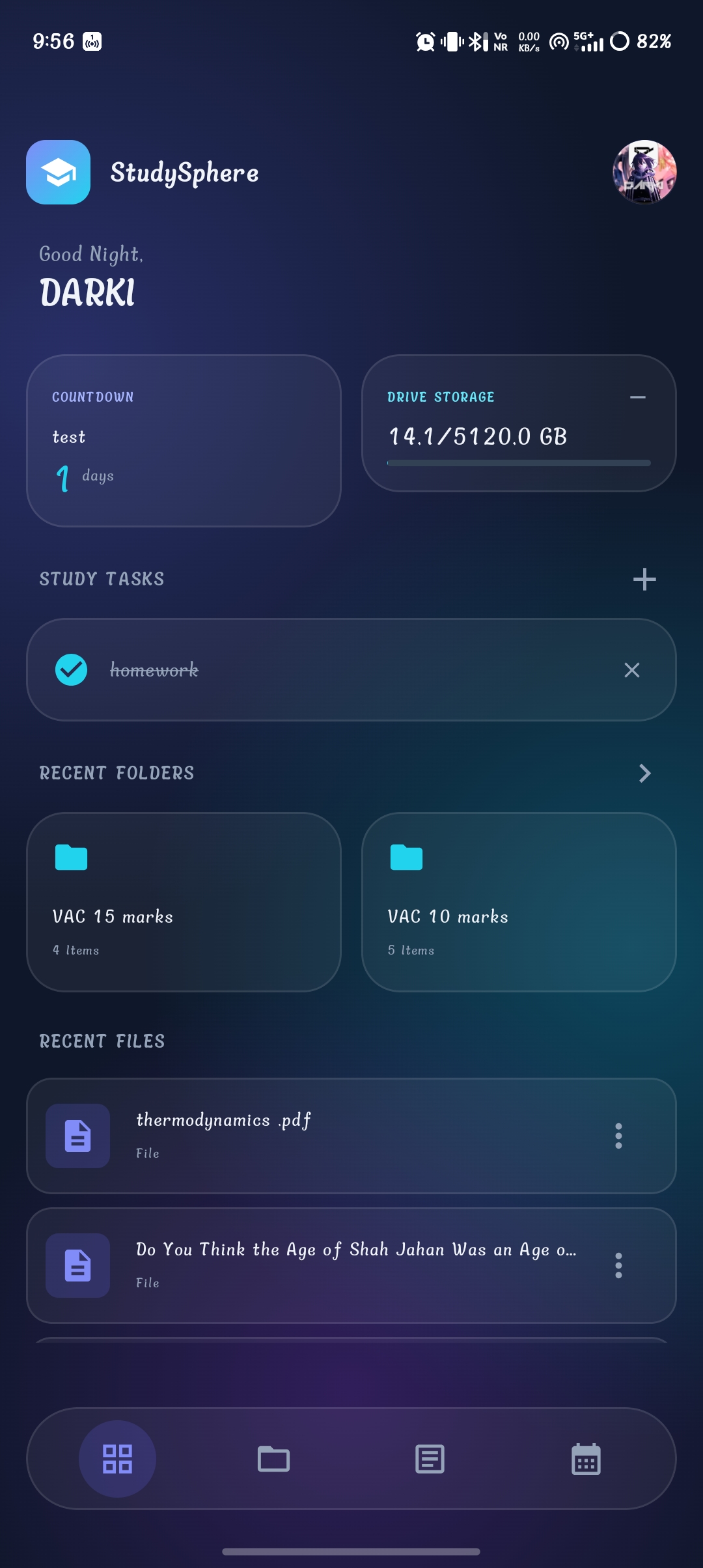
1. Dashboard (Home)
Purpose: The main overview page that provides quick access to study resources, tasks, storage information, and recently used content.
What You Can See:
- App Header: Displays the StudySphere logo, application name, personalized greeting, and user profile picture.
- Countdown Widget: Shows important upcoming events and the number of days remaining until the selected event.
- Drive Storage Widget: Displays Google Drive storage usage with a visual progress bar.
- Study Tasks: View your current study tasks. Completed tasks appear checked. Easily add new tasks (+) or remove them (×).
- Recent Folders & Files: Quick access to continue studying from your recently opened documents and folders, including item counts.
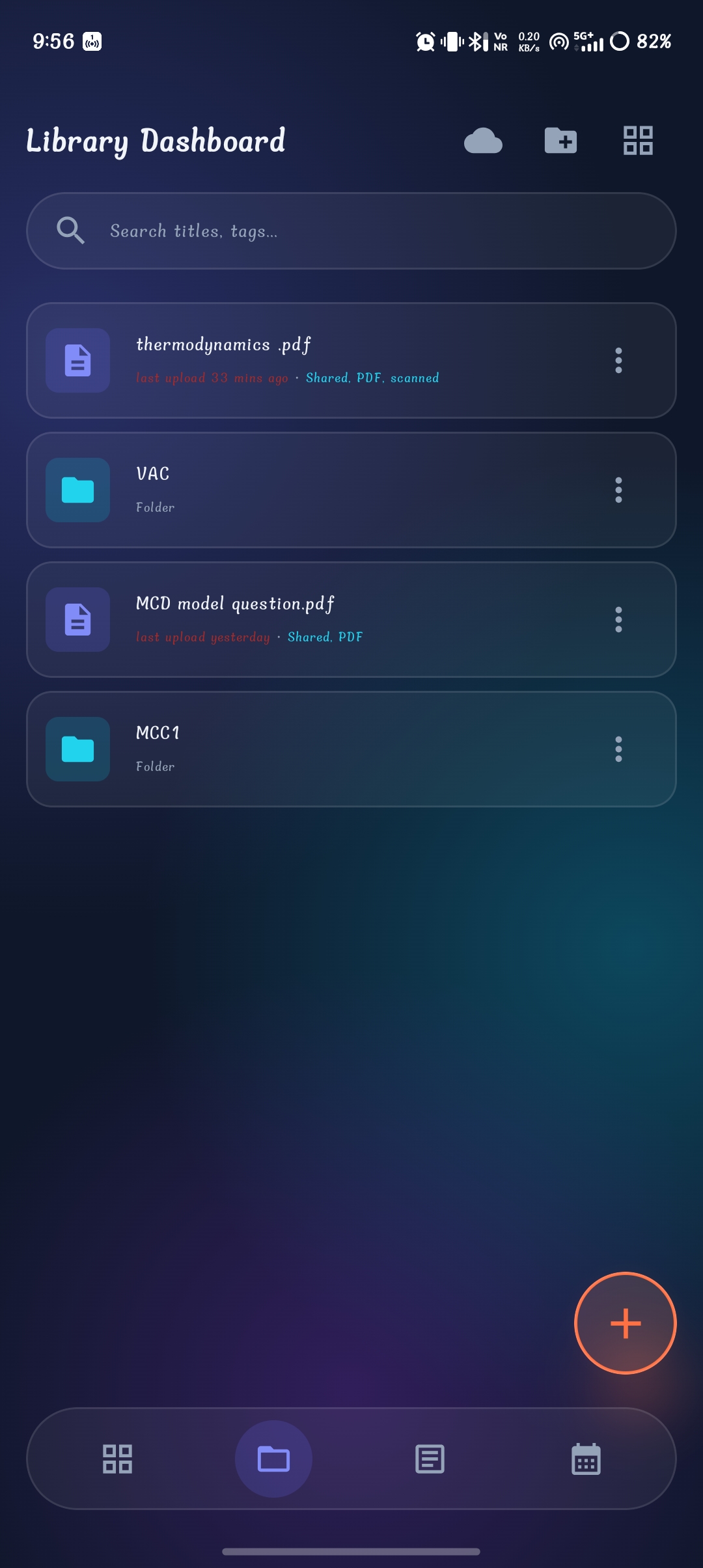
2. Library Dashboard
Purpose: Used to organize, search, and manage all of your study materials securely.
What You Can See:
- Search & Top Actions: Search files by name or tag. Access cloud sync options, create folders, and toggle between grid and list layouts.
- File & Folder List: Each item displays its icon, name, and metadata (last upload time, shared status, and file type). Access the three-dot menu for additional actions.
- Floating Action Button (+): A quick menu to upload new files, create folders, and import study materials.
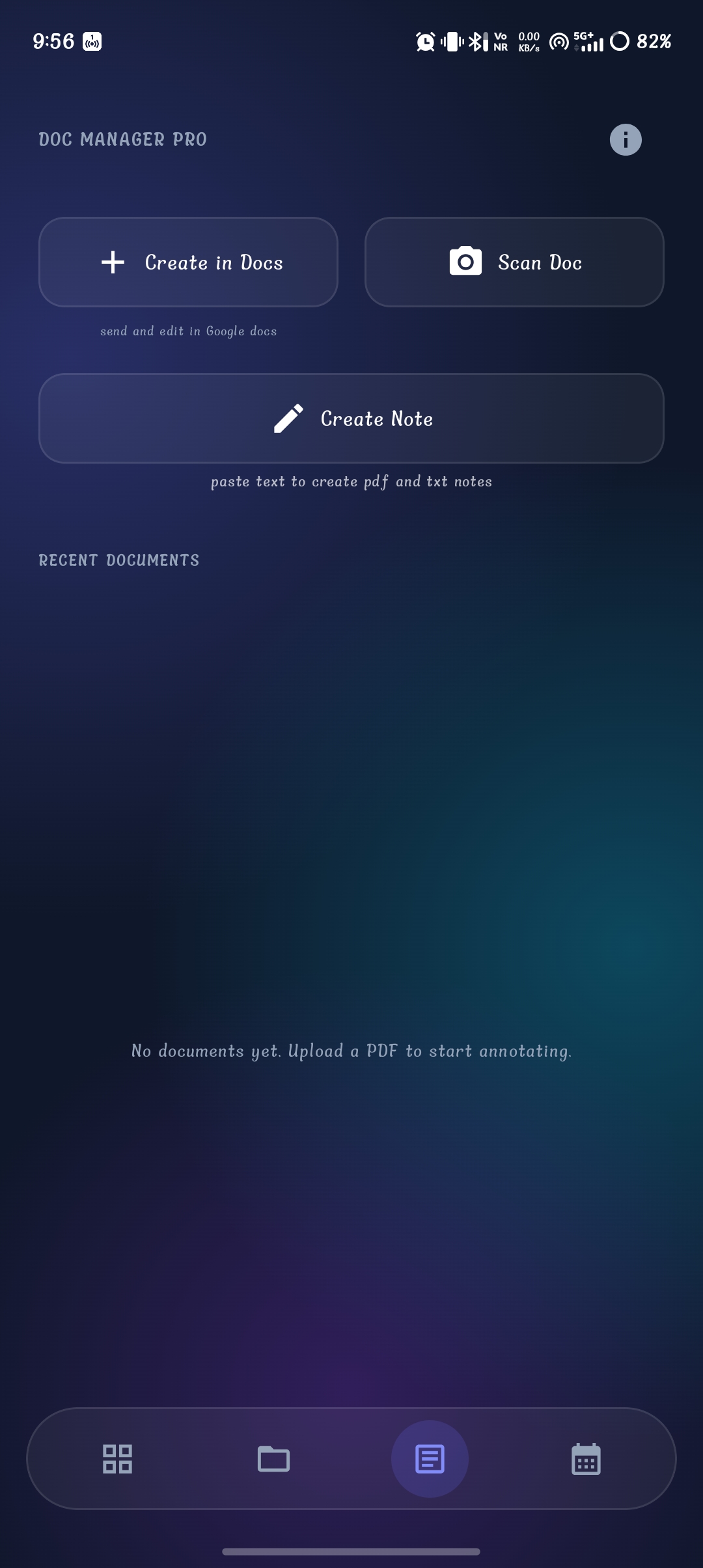
3. Document Manager Pro
Purpose: Helps users create, scan, and manage new study documents on the fly.
What You Can See:
- Create in Docs: Instantly create and edit text documents directly via Google Docs integration.
- Scan Doc: Use your device camera to scan physical study materials and convert them into digital files.
- Create Note: Write manual text notes, perfect for quick study sessions and instant PDF generation.
- Recent Documents: A history list of recently created or edited documents (shows empty state when no documents exist).
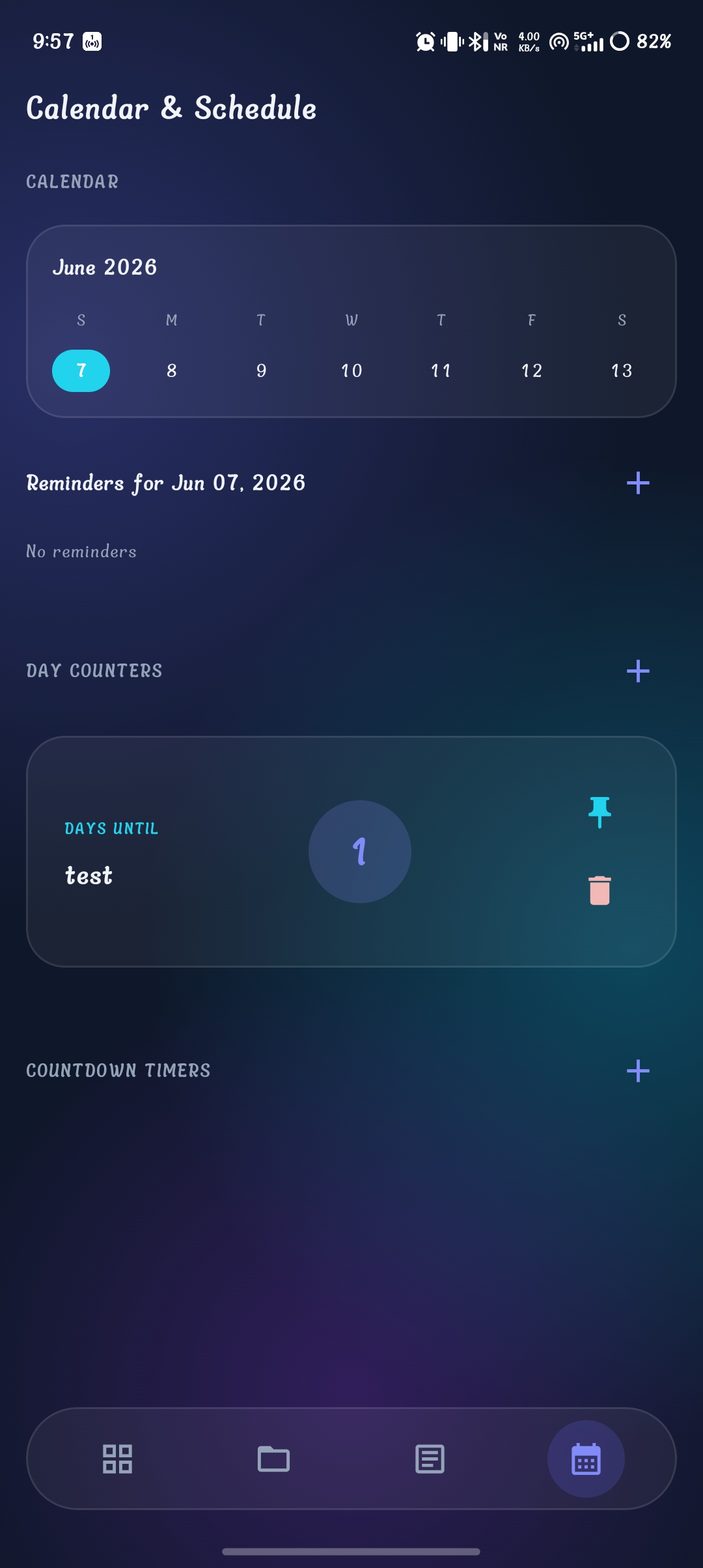
4. Calendar & Schedule
Purpose: Helps manage academic reminders, schedules, countdowns, and important events.
What You Can See:
- Calendar Widget: A weekly calendar view that highlights the selected date and allows smooth navigation.
- Reminders Section: View all reminders for the selected day, or add new ones with the (+) button.
- Day Counters: Track important future events and the remaining days. You can pin important counters or delete them as needed.
- Countdown Timers: Create precise countdown timers for highly specific events like exams or assignment submissions.
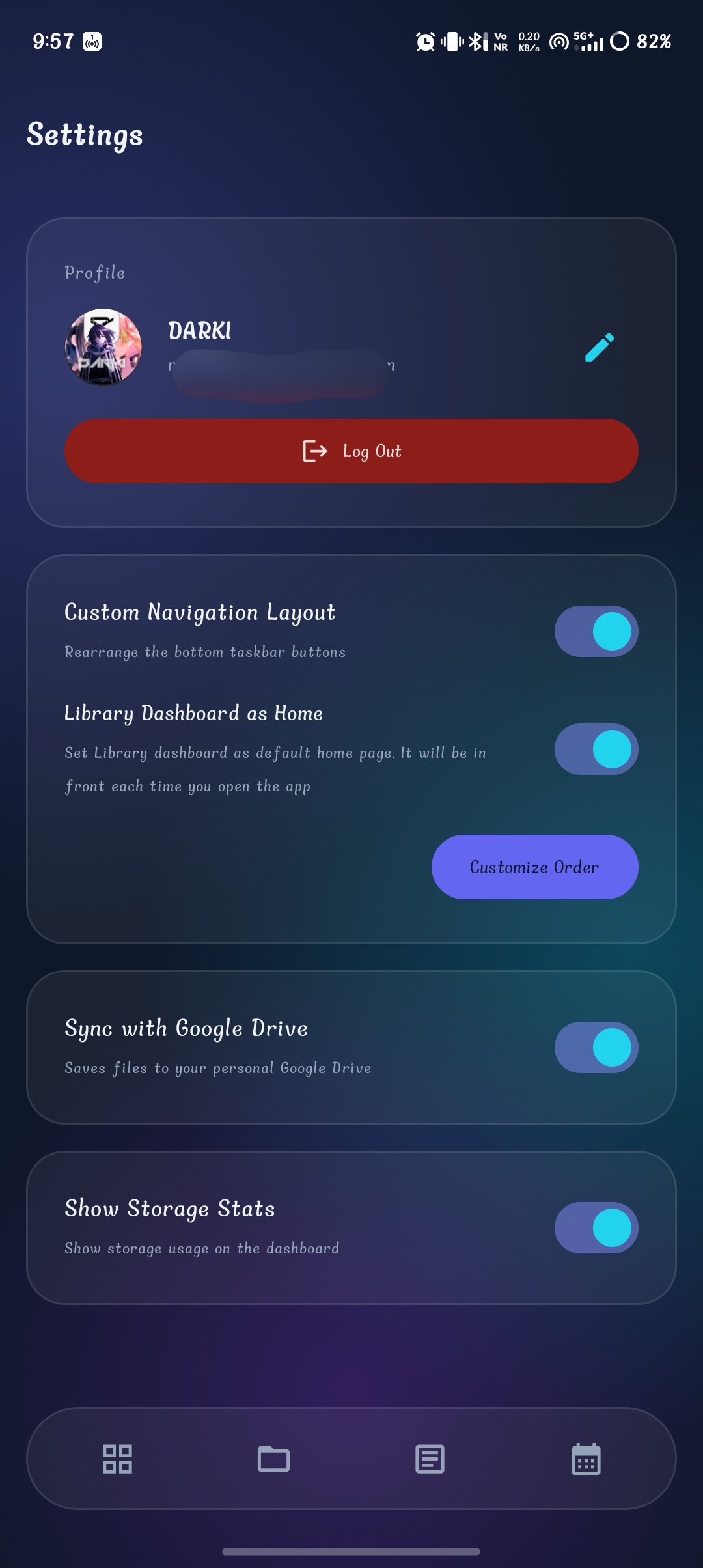
5. Settings Page
Purpose: Allows users to customize application behavior, layout, and account preferences.
What You Can See:
- Profile Section: Manage your user picture, username, account information, edit profile, and secure logout.
- Navigation Customization: Enable custom bottom navigation order, rearrange buttons, or set the Library as the default home page.
- System & Sync: Toggle automatic Google Drive synchronization and dashboard storage statistics.
- Time Zone & Credits: Configure local timezones for accurate calendar events, and view developer information and contact buttons.
App Navigation Map
DASHBOARD
LIBRARY
DOCUMENT MANAGER
CALENDAR
SETTINGS
LIBRARY
DOCUMENT MANAGER
CALENDAR
SETTINGS
Ready to see how notes are generated?
Check out our step-by-step workflow for creating Study Sphere modules using AI.
View Note Creation Guide